3.1 KiB
Contributing
Follow this guide to understand how to contribute to the project. Make sure to follow best practices when contributing to the project. You can find the guide here.
Custom Formats
-
In a new regex101 link, add your regex pattern and unit tests.
- Try to include as many edge cases as possible.
- Include at least 5 results that should match and 5 that should not match.
- If there are any particular cases that should be looked at, include a description describing any nessecary details.
- Your page should look something like this:
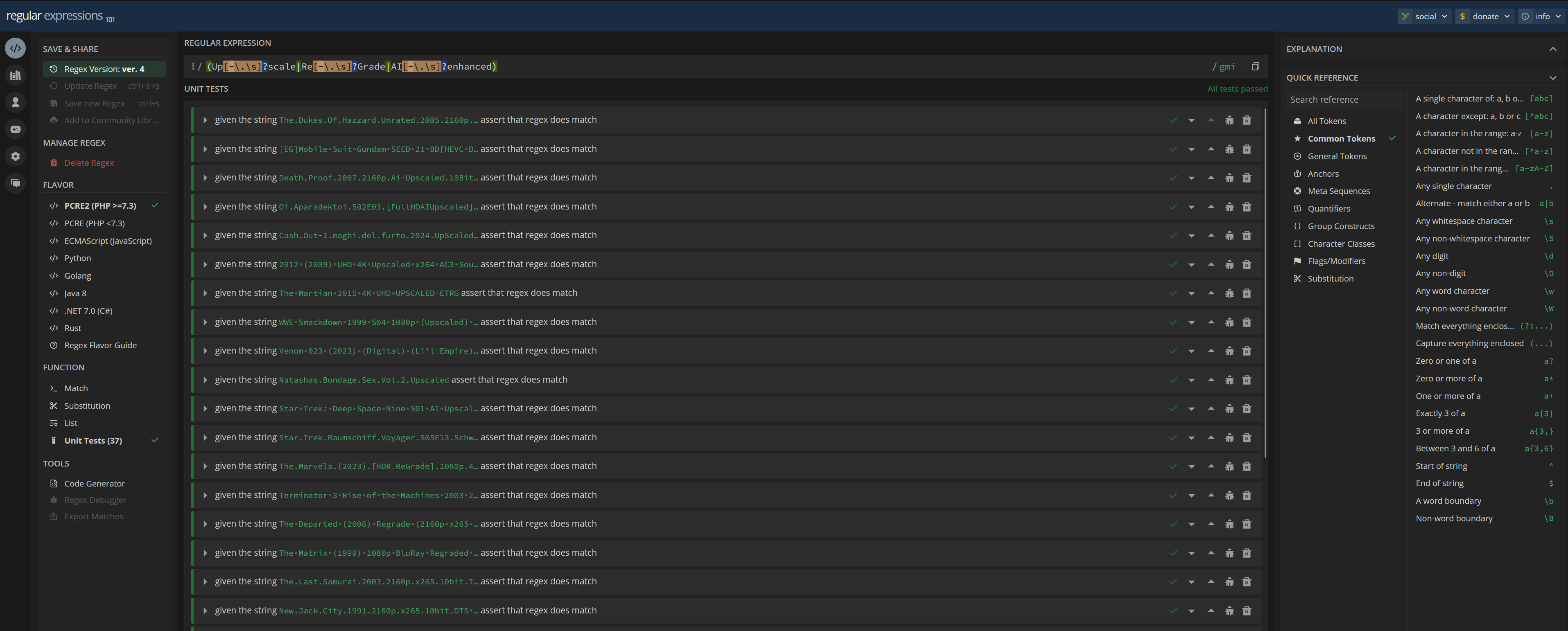
- Take note of the ID of the regex101 link:
https://regex101.com/r/<ID>/<Revision>. For example:https://regex101.com/r/GDhflH/4
-
Create a new branch for your changes.
git checkout -b your-branch-name -
Once you have thoroughly tested your regex pattern, create your custom format inside Radarr / Sonarr and use exportarr to export the format.
- The result should be a JSON file that contains the format and the regex pattern.
- Move this file to the
/db/custom_formatsdirectory. - The result should look something like this:
{
  "name": "Upscaled",
  "includeCustomFormatWhenRenaming": false,
  "specifications": [
    {
      "name": "Upscaled",
      "implementation": "ReleaseTitleSpecification",
      "negate": false,
      "required": true,
      "fields": [
        {
          "name": "value",
          "value": "(Up[-\.\s]?scale|Re[-\.\s]?Grade|AI[-\.\s]?enhanced)"
        }
      ]
    }
  ]
}
-
Replace the line containing "value" and the regex pattern with "regexID" and the ID of the regex101 link.
{
  "name": "Upscaled",
  "includeCustomFormatWhenRenaming": false,
  "specifications": [
    {
      "name": "Upscaled",
      "implementation": "ReleaseTitleSpecification",
      "negate": false,
      "required": true,
      "fields": [
        {
          "name": "value",
          "regexID": "GDhflH"
        }
      ]
    }
  ]
}
Quality Profiles
-
Create a new branch for your changes.
git checkout -b your-branch-name -
Create and test your quality profile in Radarr / Sonarr.
-
Export the quality profile using exportarr and move the JSON file to the
/db/quality_profilesdirectory.
Pushing Changes
-
Commit your changes and push the branch to the repository.
git add . git commit -m "Add custom format: Upscaled" git push -u origin your-branch-name -
Open a pull request on GitHub, providing a detailed description of your changes and the purpose of the custom format. Make sure to include:
- The regex101 link.
- Any outstanding issues or edge cases that should be considered.
- The PR should be merged into the
devbranch.
- Wait for the maintainers to review your pull request. They may provide feedback or request changes before merging your contribution.